At its core, a real estate video maker is a tool that breathes life into still property photos, turning them into a dynamic video tour. It’s designed specifically for agents, photographers, and marketers who need to create professional-looking videos in minutes, not days—no film school degree or pricey gear required. Think of it as your secret weapon for getting more eyes on your listings and, ultimately, closing deals faster.
Why Video Is Your Most Powerful Sales Tool
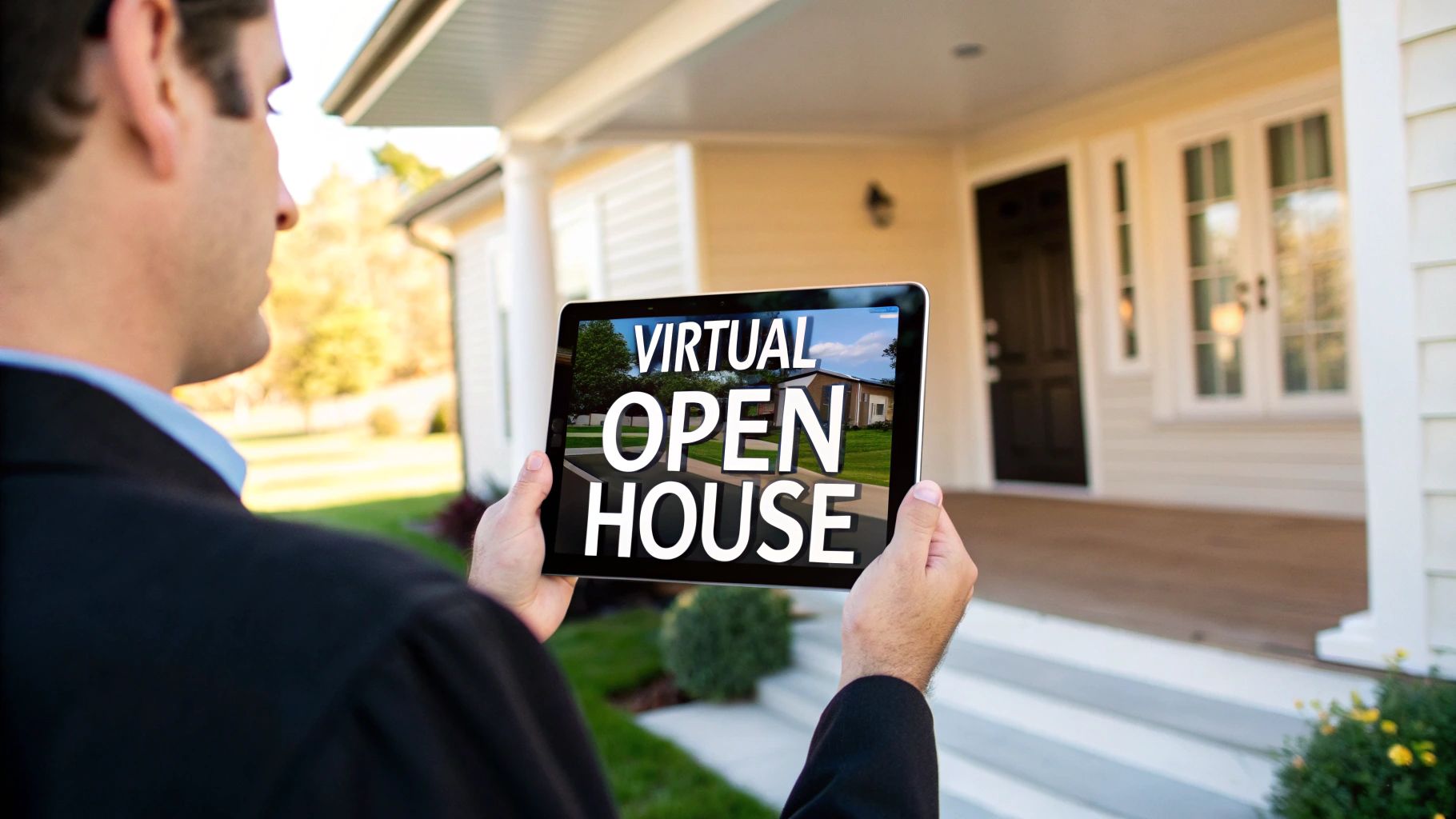
In a market flooded with listings, a gallery of static photos just doesn't cut it anymore. A photo gallery is like a flat brochure; it gives you the facts, but it doesn't tell a story. A video, however, is a personal, guided tour that a potential buyer can take anytime, anywhere. It’s how you build an emotional connection before they even set foot on the property.
That connection is everything. A great video helps a buyer imagine their life unfolding in that space. They can feel the flow from the living room to the kitchen, see the morning sun pouring into the bedroom, and truly grasp the home's layout. This experience builds trust and weeds out casual browsers, meaning the people who book a showing are already seriously interested.
The Undeniable Impact of Video
The stats don't lie. Listings that feature video get a jaw-dropping 403% more inquiries than those that don't. Yet, only about 38% of agents are consistently using video in their marketing. That’s a huge opportunity to get ahead of the curve.
Plus, homes marketed with video tend to sell up to 31% faster. And get this: 73% of homeowners say they’re more likely to list with an agent who uses video. If you're looking for an edge, this is it. You can explore more real estate video insights to see just how powerful it can be.
A real estate video maker lets you be that virtual guide for every single listing. It closes the gap between someone just scrolling and someone genuinely picturing your listing as their next home.
Key Benefits of Embracing Video
- Create an Emotional Hook: Video helps buyers connect with a property on a personal level long before a physical showing.
- Boost Your Visibility: Social media and listing sites love video, often giving it a prime spot in their feeds and search results.
- Build Your Personal Brand: Consistently producing high-quality videos positions you as a modern, knowledgeable agent who gets results.
Essential Features of a Great Video Maker
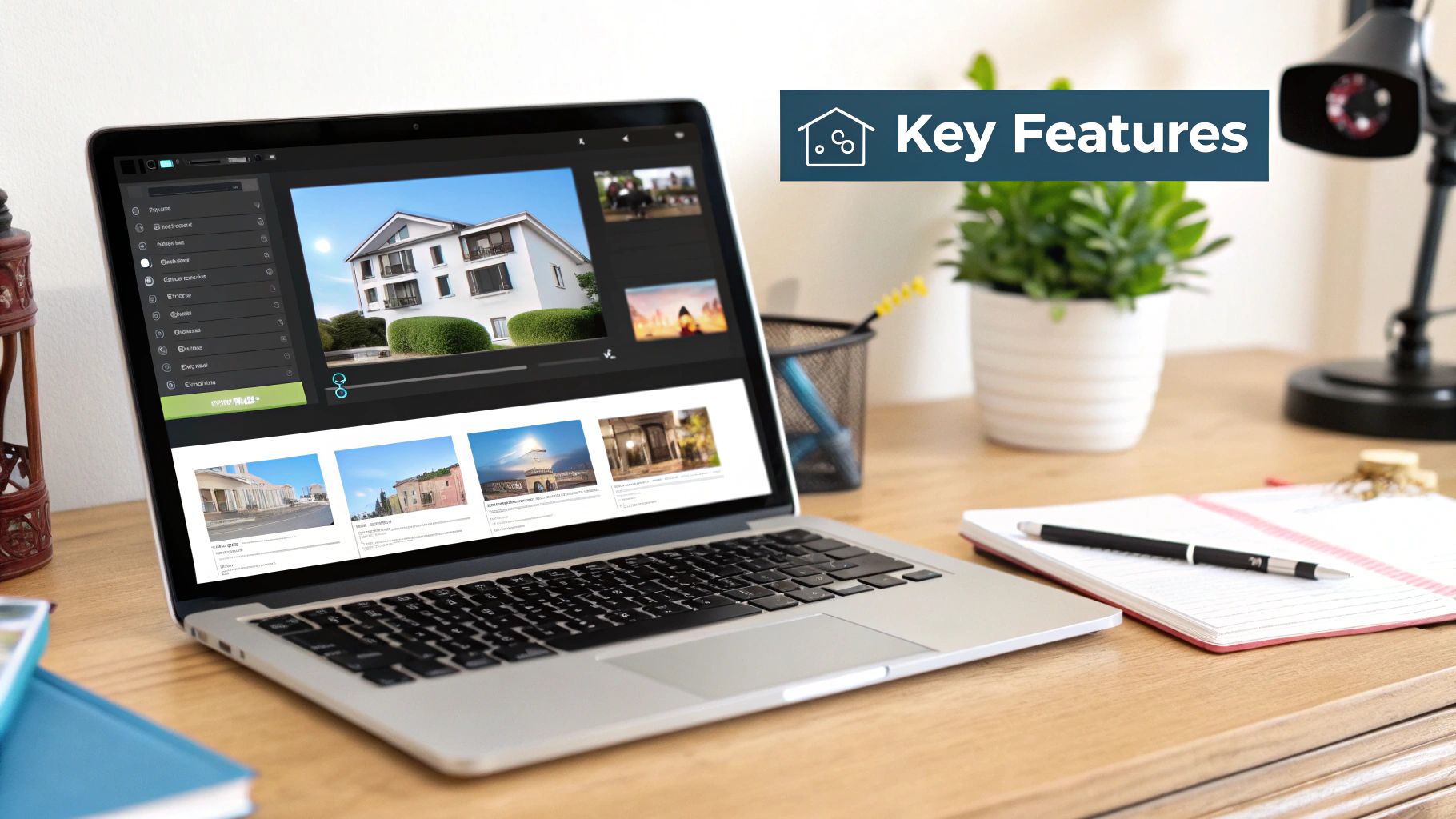
When you start shopping around for a real estate video maker, the sheer number of features can make your head spin. But let's cut through the noise. What really matters for an agent or photographer?
The right tool should feel less like a complicated piece of software and more like a smart assistant. It needs to get what you do, helping you pump out stunning, branded videos without a steep learning curve.
H3: Templates That Do the Heavy Lifting
This is non-negotiable. A top-tier video maker comes loaded with professionally designed templates specifically for real estate. We're not talking about generic, one-size-fits-all layouts here. These are essentially marketing blueprints built for different types of listings.
Think about it. A template for a sleek urban loft should feel different from one for a sprawling suburban home. The right templates automatically nail the pacing, transitions, and overall vibe, saving you hours of trial and error.
The best templates are storytellers. They know how to guide a viewer’s eye, building excitement from the first shot to the final call to action, all designed to connect with the right kind of buyer.
Must-Have Features in a Real Estate Video Maker
With so many options on the market, it's easy to get sidetracked by flashy but unnecessary features. The table below breaks down what's truly essential for your day-to-day real estate marketing versus what's just a nice bonus.
| Feature | Why It's Essential for Real Estate | Impact on Your Workflow |
|---|---|---|
| Real Estate-Specific Templates | Sets the right tone and structure for property tours, agent intros, and market updates without any guesswork. | Drastically cuts down creation time and ensures a professional, polished look every time. |
| Licensed Music Library | Avoids copyright infringement and platform takedowns. Using popular music without a license is a major legal risk. | Gives you peace of mind and access to a library of high-quality, mood-setting tracks that are safe to use. |
| Brand Kit Integration | Ensures brand consistency (logo, colors, fonts) across all your videos with one-click application. | Saves you from manually adding branding to every single video, eliminating tedious work and errors. |
| AI-Powered Photo Animation | Automatically adds cinematic motion (pans, zooms, Ken Burns effect) to still photos, making them feel like video footage. | Turns a basic photo slideshow into a dynamic, engaging virtual tour without needing any video editing skills. |
Ultimately, focusing on these core features ensures you pick a tool that genuinely makes your job easier and your marketing more effective.
H3: Creative and Branding Tools You'll Actually Use
Beyond the templates, a few key tools separate the "okay" platforms from the great ones. These are the features that handle the behind-the-scenes work so you can focus on the big picture.
Licensed Music Library: You can't just grab a popular song off Spotify for your video. That’s a fast track to copyright strikes and having your video taken down. A built-in library of royalty-free music is an absolute must-have for adding a professional soundtrack without the legal headaches.
Brand Kit Integration: Manually slapping your logo, brand colors, and contact info onto every video is a chore. A brand kit feature lets you set this up once. After that, you can apply your branding to any new project with a single click, keeping everything consistent and professional.
AI-Powered Editing: This is where things get really cool. The best tools use AI to analyze your photos and automatically add life to them. It creates smooth pans and gentle zooms that mimic the look of a professional videographer, transforming your still images into a captivating video tour.
These aren't just bells and whistles; they're smart features designed to save you time. If you want to see how different tools stack up, our guide to real estate video editing software goes into even more detail. A great video maker automates the grunt work, freeing you up to do what you do best: sell homes.
Your First Property Video: A Step-by-Step Guide

Diving into video for the first time might feel like a huge task, but a good real estate video maker makes it surprisingly simple. It’s not about becoming a professional editor overnight; it's really just about assembling a few key pieces.
Let's walk through it. Here are five easy steps to take you from a folder of photos to a polished property tour that’s ready to impress.
To keep things grounded, let’s pretend we’re creating a video for a 3-bedroom, 2-bathroom suburban home. The goal is to show off its bright, open-plan living area and big backyard—the perfect draw for a growing family.
Step 1: Gather Your Best Media
Before you even open the video software, you need to act as a curator. Sift through your property photos and pull out only the best ones. For a typical 60 to 90-second video, you'll need around 15-20 high-quality images.
Think of it like you're telling a story. You want to start with a great exterior shot, move naturally through the main living spaces, highlight the kitchen and master bedroom, and end with a beautiful shot of the backyard.
- Exterior: Pick a "hero shot"—that one perfect picture that shows off the home's curb appeal.
- Interior Flow: Choose photos that guide the viewer logically from one room to the next.
- Key Features: Make sure to include shots of the details that matter, like updated appliances, a cozy fireplace, or stunning light fixtures.
For our example home, we'd grab a sunny photo of the front, a few shots of the open-concept living and dining area, a close-up of the granite countertops in the kitchen, a peaceful shot of the master bedroom, and a wide-angle photo of that fenced-in backyard.
Step 2: Upload and Pick a Template
With your photos ready, it's time to get them into your video maker. Most tools make this incredibly easy with a simple drag-and-drop uploader.
Once the media is loaded, you'll choose a template. This is a really important step because the template dictates the video's entire mood and pacing. Try to find one that matches the property's personality—maybe something sleek and modern for a downtown condo, or something warm and welcoming for a family home.
Think of a template as a pre-built container for your story. It handles all the complicated stuff like animations and transitions, so you can focus on showing off the home.
For our suburban house, we’d look for a template named something like "Bright & Airy" or "Family Welcome" to set the right tone.
Step 3: Customize with Details and Music
Now it's time to plug in the essential property details. Every good template will have built-in spots for text overlays where you can add the key info.
- Opening Title: "Welcome to 123 Maple Street"
- Key Details: "3 Bedrooms | 2 Bathrooms | 2,100 Sq. Ft."
- Feature Callouts: "Newly Renovated Kitchen" or "Spacious Private Backyard"
Next up is the music. Head over to the licensed music library and find a track that fits the home's vibe. For our family home, an upbeat, positive tune would be perfect. It’s a small detail that makes a huge difference in how the video feels.
Step 4: Apply Your Branding
This is where you make the video unmistakably yours. Any good video maker will have a brand kit feature. With just a click, you can layer on your logo, brand colors, and contact info.
This usually shows up on an intro or outro slide, making it crystal clear who viewers should call. For our video, we’d add our brokerage logo and a final screen with our name, phone number, and website. It's a professional finishing touch.
Step 5: Preview and Render Your Video
We're at the home stretch. Before you finalize anything, watch a full preview of your video. Keep an eye out for any typos in the text and make sure the photos flow together nicely.
If it all looks good, just hit the "render" or "export" button.
In a matter of minutes, the software does its magic and gives you a high-definition video file. You can then download it and start sharing it everywhere—the MLS, social media, your website—turning those static photos into a dynamic tool that gets people clicking and calling.
How to Optimize Videos for Maximum Reach
Creating a stunning property video is a great first step, but the real work begins when you need people to actually see it. A great video maker gives you the tool, but a smart distribution strategy gets the eyeballs. This means tweaking your video for each platform, because what works on the MLS is going to fall flat on Instagram.
Think of it this way: you wouldn't wear a tuxedo to a backyard barbecue. Your video needs to be dressed for the occasion, too. Each channel has its own audience, its own rules, and its own quirks. A one-size-fits-all approach is a recipe for getting ignored.
Tailoring Your Video for the MLS
The MLS is the home base for serious buyers and their agents. Professionalism is the name of the game here. You're not trying to go viral; you're trying to give a clear, comprehensive tour that backs up the photos and listing details.
- Ideal Length: Keep it tight. Aim for 60 to 120 seconds—just enough time to hit the highlights without dragging on.
- Quality: Don't skimp. Always upload the highest quality you can, which is usually 1080p HD. A fuzzy video makes the home look cheap.
- Content Focus: This is all about the property. A clean, simple walkthrough from a good real estate video maker is perfect. Let the house do the talking.
Winning on Social Media Platforms
Social media is a completely different beast. You're fighting for attention against literally everything else on the internet. Your video has to grab someone immediately. This means you have to play by the rules of platforms like Instagram and Facebook.
Here's a mind-blowing stat: 85% of Facebook videos are watched with the sound off. If your video needs audio to make sense, most of your audience will just scroll right by. Captions aren't a nice-to-have; they're a must.
To get your videos ready for social, you have to start thinking vertically and silently.
- Vertical Format (9:16): This is non-negotiable for Instagram Reels, Stories, and TikTok. Vertical video fills the whole phone screen and just feels right.
- Add Captions: Use your video maker to burn subtitles directly onto the clip. That way, your message lands whether the sound is on or off.
- Create a Compelling Thumbnail: The thumbnail is your video's first impression. Pick a bright, eye-catching shot of the home’s best feature to make people want to click.
To get a better handle on when to post all this, take a look at our guide on building a real estate social media calendar.
Optimizing for YouTube and Beyond
Don't forget about YouTube. It’s the world's second-biggest search engine, and a great video can act as a long-term asset, pulling in viewers for months.
Your title and description are everything here. Instead of just "123 Maple Street," get descriptive with keywords people are actually searching for. Something like, "Beautiful 3-Bedroom Family Home Tour in Springfield" works much better.
Finally, remember email and ads. Dropping a short video clip into an email can do wonders for your click-through rates. And running targeted video ads on social media can put your listing right in front of the perfect buyers.
Getting the Technical Details Right
You don't need to be a video editing pro to make a great real estate video, but knowing a few key technical details can make a massive difference. Think of it like this: you wouldn't show up to a listing presentation unprepared, right? The same goes for your video. Getting the basics right ensures your properties look fantastic and your videos play smoothly everywhere you share them.
Resolution: How Sharp is Your Picture?
First, let's talk about resolution. This is simply how sharp and clear your video looks. You’ll usually see two options: 1080p (Full HD) and 4K (Ultra HD).
For nearly every online application—from your local MLS to social media—1080p is the sweet spot. It offers a crisp, professional look without creating gigantic files that take forever to upload and can buffer for viewers with slower internet. While 4K is incredibly sharp, it's often overkill for online viewing and can be a real headache to work with. Stick with 1080p for a great balance of quality and performance.
Aspect Ratio: Shaping Your Video for Every Screen
Next up is aspect ratio, which is just a technical term for the shape of your video. This is super important because different platforms are designed for different shapes. The two you really need to know are:
- 16:9 (Landscape): This is the classic widescreen look you see on TVs and YouTube. It's perfect for most MLS platforms and website embeds.
- 9:16 (Portrait/Vertical): This is the tall, skinny format that fills a smartphone screen. If you're posting on Instagram Reels, Stories, or TikTok, this is non-negotiable. It’s how you capture attention where people are scrolling.
A good real estate video maker will let you switch between these formats with a single click, saving you the hassle of re-editing the same video for different platforms.

As you can see, optimizing your video for each platform isn't a suggestion—it's a requirement for getting the best results.
A Quick Guide to Video Specs
To make it even easier, here’s a quick-reference table to help you nail the specs for the most popular platforms you'll be using.
| Video Specifications for Real Estate Platforms |
| :--- | :--- | :--- | :--- |
| Platform | Recommended Resolution | Ideal Aspect Ratio | Best File Format |
| MLS | 1080p | 16:9 (Landscape) | MP4 |
| Instagram (Reels/Stories) | 1080p | 9:16 (Vertical) | MP4 |
| YouTube | 1080p or 4K | 16:9 (Landscape) | MP4 |
Keeping these simple guidelines in mind will ensure your videos always look their best, no matter where potential buyers are watching.
Render Times: Why Cloud-Based is a Game-Changer
Anyone who has tried traditional video editing software knows the pain of render time. That's the final step where the computer processes all your clips, music, and effects into a single video file. On a normal laptop or desktop, this can take a painfully long time and bring your entire machine to a grinding halt.
This is where a cloud-based video maker like AgentPulse completely changes the game. It handles all the heavy processing on its own powerful servers, not on your computer.
What does that mean for you? Your videos render in minutes, not hours. And while it's working its magic, your computer is completely free for you to keep answering emails, prepping for a showing, or working on your next deal.
Music Licensing: Stay on the Right Side of the Law
Finally, let's touch on something crucial but often overlooked: music licensing. It can be tempting to drop a popular, chart-topping song into your video, but doing so is a surefire way to get a copyright violation notice. Your video could be muted or even taken down entirely.
The best real estate video makers solve this problem by providing a built-in library of commercially licensed, royalty-free music. This gives you a huge selection of high-quality tracks that are 100% legal and safe to use for your business. It’s a simple feature that saves you from potentially massive legal headaches and keeps your marketing looking—and sounding—professional.
Calculating the ROI of Your Video Strategy
When you're thinking about adding any new tool to your business, it really boils down to one simple question: will it make me money? With a real estate video maker, the answer is a clear and confident "yes." The return on your investment isn't just about the financial side of things; it's also about reclaiming your most valuable asset—your time.
Let’s look at the old way of doing things. Hiring a pro videographer for just one property can easily set you back anywhere from $500 to over $2,000. The final product might look great, but that price tag makes it a non-starter for the majority of your listings. It becomes a special treat reserved only for those multi-million dollar homes.
Now, compare that to a video maker subscription. You’re often looking at a monthly cost that’s less than a single professional shoot. This completely flips the script. Suddenly, you can create a stunning, professional-quality video for every single property you list, from a starter condo to a sprawling estate, without draining your marketing budget.
A Simple Formula for Success
Figuring out the direct ROI is actually more straightforward than you might think. It’s all about pinpointing where video brings real, measurable value to your business. Let's break it down:
Faster Sales: It's a fact—homes with video move off the market quicker. A faster sale means lower carrying costs for your seller (think mortgage, taxes, and insurance) and, more importantly, you get your commission check sooner.
Higher Offers: Properties marketed with video get a staggering 403% more inquiries. When you have more people interested, you naturally create a more competitive environment, which can drive up the final sale price.
Winning New Clients: Imagine walking into a listing presentation with a portfolio of gorgeous property videos. When 73% of homeowners say they’d rather list with an agent who uses video, the tool can pay for itself with the very next client you sign.
The investment in a real estate video maker often pays for itself with a single transaction—either by helping a property sell a few weeks faster or by attracting one new seller who was impressed by your marketing.
This changes the tool from a line-item expense into a powerful engine for growing your brand and your business. If you want to dig into the strategy behind it all, check out our in-depth guide on video marketing for real estate agents. The numbers don't lie; adding video to your workflow is one of the smartest financial moves you can make.
Answering Your Top Questions About Real Estate Video Makers
Jumping into any new tool is bound to bring up a few questions. Let's walk through the most common things agents ask about using a video maker, so you can start creating with total confidence.
How Much Time Does This Actually Take?
Let's be real—the biggest roadblock for most agents is time. Who has hours to spend editing video?
The good news is, you don't need it. With a template-driven tool, you can go from uploading your property photos to having a polished, ready-to-share video in under 15 minutes. It's a game-changer.
This means you can finally create a stunning video for every listing, not just your million-dollar properties. Consistency is key, and now it's actually achievable.
What Do I Need for Photos and Music?
This is a big one. You might be worried you need a pro photographer on speed dial or a lawyer to handle music rights. Let's clear that up.
Do my photos have to be professional? Look, professional photos are always going to give you the best starting point. But they aren't a must-have. Today's smartphone cameras are incredible and can capture beautiful, high-resolution images that will look fantastic in a video.
Can I just use a popular song? Please don't! Using copyrighted music from the radio or Spotify is a quick way to get your video taken down or, worse, land in legal trouble. A good real estate video maker solves this by including a built-in library of royalty-free music. You get a professional soundtrack without any of the copyright headaches.
And on top of all that, features like brand kits make it incredibly simple to add your logo, brand colors, and contact information to every video. This isn't just about making one video; it's about building a consistent, professional brand that buyers and sellers recognize.
Ready to turn your property photos into captivating videos that get noticed? See how AgentPulse can make your listings stand out and draw in more buyers. Get started for free at https://www.agentpulse.ai.