A real estate listing video isn't just a slideshow of pictures. It’s a short, engaging film that brings a property to life for potential buyers. Unlike still photos, a video gives a true sense of a home's layout, flow, and unique character, creating a connection that static images just can't match.
Why Video Is No Longer Optional in Real Estate
In a market flooded with listings, great photos are just the bare minimum. If you really want to grab a buyer's attention and make your property stand out, a real estate listing video is now a must-have. It’s the difference between showing a house and telling its story.
Think about it this way. A photo of a kitchen is a single, frozen moment. A video, on the other hand, can sweep from the gleaming quartz countertops, across the spacious island, and land on the big window that looks out onto the backyard. This movement gives a feel for the space and flow that a picture simply can't capture. It’s this kind of visual storytelling that helps buyers imagine themselves living in the home, turning them from casual browsers into genuinely interested leads.
Tapping into the Power of Emotion
A well-made video does more than just show off features; it sparks an emotional response. It can highlight the way the morning light fills the primary bedroom or how the open-plan living room is the perfect spot for family get-togethers. That feeling is what pushes a buyer to schedule a showing.
Video lets you sell the experience of a home, not just the building. You're creating a world that buyers can see themselves in, and that’s far more persuasive than just showing them empty rooms.
The numbers don't lie. Study after study confirms that listings with video get significantly more attention. In fact, properties marketed with a video can pull in up to 403% more inquiries than listings that just use photos. Zillow has also reported that listings with video tours tend to sell 14% faster.
Let's break down the performance difference.
Video Content vs Photo-Only Listings At a Glance
Here’s a quick comparison to show just how much of an impact video can have on key performance metrics.
| Metric | Photo-Only Listings | Listings with Video |
|---|---|---|
| Buyer Inquiries | Baseline | Up to 403% more |
| Sales Speed | Standard | Sells 14% faster |
| Buyer Engagement | Lower | Significantly higher |
| Lead Quality | Varies | More qualified, serious leads |
| Seller Perception | Standard expectation | Seen as a premium service |
As you can see, the data clearly shows that video isn't just a nice-to-have feature; it’s a powerful tool that drives real results.
Real-World Benefits for Your Business
Adding video to your marketing strategy isn't just about impressing buyers; it has a direct, positive impact on your brand and your wallet. The advantages are tangible:
- Better Engagement: Videos keep people watching longer than photos do. That means more time on your listing and less time on your competitor’s.
- Higher-Quality Leads: By offering a detailed virtual walkthrough, videos help weed out people who aren't the right fit. The inquiries you get are from buyers who are already serious.
- More Listing Appointments: Sellers have caught on. Most say they’d be more likely to hire an agent who uses video because it signals a modern, effective marketing plan.
At the end of the day, a real estate listing video is no longer a luxury—it’s a vital tool for driving sales, attracting new clients, and building a brand that stands out. For a more detailed look at this, be sure to read our complete guide on real estate video marketing.
How to Prepare a Property for Video
A great listing video doesn't just happen when you press record. It starts much earlier. Think of this prep work as your pre-production phase—it's what separates a forgettable property tour from a visual story that truly sells a home.
I always start by walking through the property with a filmmaker's eye. I'm not just looking at rooms; I'm looking for moments. I try to pinpoint the "hero shots" that make the place special. Is it the waterfall kitchen island? The incredible sunset view from the primary bedroom? Maybe it’s just a cozy fireplace that feels like the heart of the home.
Treat the property like the main character in a movie. Your job is to find its best angles and highlight its personality, guiding the viewer through its story from the moment they walk in the front door.
Develop Your Shot List
Once you’ve identified the key features, it's time to build a shot list. This doesn't need to be some complicated Hollywood-style document. A simple list in your phone's notes app is perfect. The real purpose here is to create a logical flow that guides the viewer through the home without leaving them feeling disoriented.
A good, simple shot list might look something like this:
- Exterior Front: A wide shot to nail that first impression and show off the curb appeal.
- Entryway: A smooth pan from the front door, leading into the main living space.
- Living Room: Focus on that beautiful fireplace and the big windows.
- Kitchen: A slow zoom onto the new quartz countertops, then pull back for a wider shot of the island.
- Backyard: Start from the patio doors and move out into the garden space.
This little bit of planning makes all the difference, ensuring you hit all the highlights and tell a coherent story.
The visual below really drives home how video takes a listing from a static gallery to a lead-generating machine.
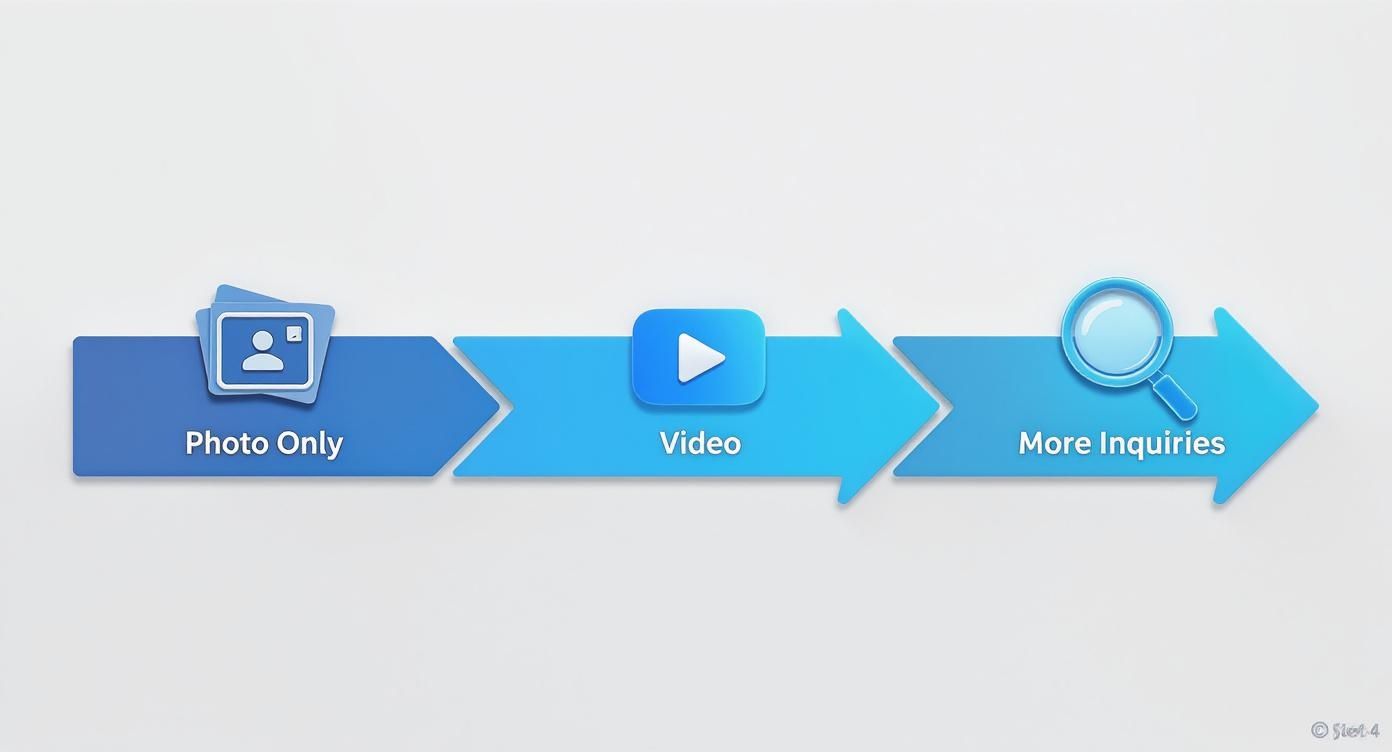
It’s clear that video is the critical step that connects showing a property with attracting serious, qualified buyers.
Staging and Decluttering for the Camera
Staging for a video shoot is a little different than for photos or an open house. A camera lens has a funny way of exaggerating clutter and making even large spaces feel cramped. Your mission is to create clean, open sightlines so the camera—and the viewer's eye—can move through the space without distraction.
- Remove Personal Items: Family photos, kids' drawings on the fridge, and personal trinkets have to go. Buyers need to be able to picture their lives in the home, not the seller's.
- Declutter Surfaces: Clear off those kitchen counters, bathroom vanities, and coffee tables. A few tasteful, impersonal decorative items are fine, but less is always more.
- Maximize Natural Light: This is huge for video quality. Open every blind and curtain. Clean the windows inside and out to let as much light flood in as possible.
These are the fundamentals, but you can dive deeper with our guide on professional real estate photography tips.
Getting the homeowner on board is crucial. I always explain that this isn't just tidying up; it's a vital marketing step designed to get them the best possible offers.
Choosing Your Equipment
You don't need a Hollywood budget to create a video that looks professional. The gear you need is probably already in your pocket.
A modern smartphone is more than capable of capturing high-quality video footage. The real secret is stability. To avoid that shaky, amateurish look, I highly recommend investing in an affordable gimbal. It’s a handheld stabilizer that uses tiny motors to keep your phone perfectly level, giving you those smooth, gliding shots you see in professional videos.
This small investment can elevate your video from good to great. And sellers are noticing. A whopping 85% of sellers now expect video to be part of their home's marketing plan. This isn't just a trend; by 2025, 89% of all businesses will use video marketing, with 75% of marketers confirming it delivers a higher ROI than photos alone.
Turn Photos Into Videos with AI Tools
What if you don’t have any video clips? It’s a common problem. Many agents have a gallery full of stunning, high-resolution photos but no actual video footage to work with. In the past, this meant you were stuck with a basic, clunky slideshow.
Thankfully, today's AI tools have completely changed the game. You can now create a dynamic, engaging real estate listing video using only the photos you already have on hand.
This approach makes video marketing accessible to everyone, no matter your technical skill or camera gear. You don't need a videographer or a fancy editing suite. Instead, you can let an intelligent system do the heavy lifting, turning your static images into a cinematic tour that feels like a real walkthrough.
How AI Brings Your Photos to Life
Modern AI photo-to-video tools are far more sophisticated than a simple slideshow creator. They use complex algorithms to analyze each image, identifying key focal points, understanding the layout of a room, and even reconstructing the space in a 3D environment. This is what allows the AI to generate realistic camera movements that mimic a professional videographer's work.
Imagine you upload a beautiful shot of a living room. The AI can recognize the fireplace as a centerpiece and automatically generate a slow, subtle zoom toward it. For a wide-angle photo of the kitchen, it might create a gentle panning motion from one side to the other, revealing the entire space.
These effects, sometimes called the "Ken Burns effect," add life and movement, making the viewer feel like they are right there in the room.
The real magic here is the AI's ability to interpret a 2D image and create a genuine sense of depth and motion. It’s like having a virtual cinematographer who knows exactly how to make each shot compelling, turning a flat photo into an immersive experience.
This isn't just a cool gimmick; it solves a real business need. Listings that feature video get up to 403% more inquiries. Having a tool that can produce a quality video from just photos is a massive advantage.
Choosing the Right AI Tool
A quick search will show you dozens of AI video generators, but they aren't all created equal. For real estate, you need a tool that specializes in clean, professional, and cinematic results—not flashy, over-the-top effects that distract from the property itself.
Look for platforms that offer features built for property marketing:
- Subtle Motion Effects: The goal is elegant movement, not wild animations. You want options like slow pans, gentle zooms, and smooth dolly-style shots.
- Style Customization: A good tool lets you choose a style that matches the property's vibe, whether it's modern and energetic or classic and serene.
- Easy Sequencing: You should be able to simply drag and drop your photos to arrange them in a logical order, creating a natural flow for the virtual tour.
These platforms are designed to be user-friendly, letting you get a great result without a steep learning curve.
Crafting a Compelling Narrative with Photos
Even with a powerful AI tool, the quality of your video still hinges on the story you tell. The sequence of your photos is absolutely critical. You want to guide the viewer through the home in a way that makes sense, just as you would during an in-person showing.
Here’s a practical workflow I always recommend for structuring these videos:
- Start with Curb Appeal. Your first shot should always be a fantastic exterior photo of the home's front. This sets the stage and creates that crucial first impression.
- Move Inside Logically. From the exterior, transition to the entryway, then flow into the main living areas like the living room and kitchen. Don't jump from the front door straight to an upstairs bedroom—it’s jarring and confusing.
- Highlight the "Wow" Factors. Dedicate specific shots to the property’s best features. Use a slow zoom on the new granite countertops or a smooth pan across the spacious backyard deck.
- Group Similar Rooms. Keep the tour logical. Show all the downstairs common areas first, then move to the bedrooms and bathrooms, and finally, head outside to the backyard or patio.
- End with a Memorable Shot. Conclude with another impressive exterior photo. A beautiful twilight shot of the front of the home or a view of the backyard at sunset provides a powerful, lasting image.
This structured approach transforms a simple collection of photos into a coherent and persuasive visual story. If you're looking to explore different platforms, check out our guide on the best real estate video app choices available. By combining thoughtful sequencing with the power of AI, you can create high-impact listing videos that captivate buyers and get results.
Editing Secrets for a Polished Video
You've got the raw footage or the AI-animated photos assembled. Great. But now the real work begins. This is where you transform a basic slideshow into a compelling real estate listing video that makes buyers feel like they're already home. Think of it as the final polish that separates the amateurs from the pros.
It all starts with pacing. The rhythm of your video has to match the vibe of the house. For a sleek downtown loft with city views, you’ll want quicker cuts and snappy transitions. You're selling an energetic, urban lifestyle, and the video's pace should reflect that.
On the flip side, if you're listing a quiet suburban home with a big, peaceful garden, slow it down. Use gentle fades and longer, smoother shots that let the viewer breathe and take in the tranquility. Pacing isn't just about timing; it’s about storytelling.
Setting the Tone with Music
Music is your secret weapon for creating emotion. The right soundtrack can make a house feel cozy and welcoming, chic and exclusive, or bright and modern. The trick is to find royalty-free music that elevates the visuals instead of distracting from them.
Thankfully, most modern video tools, like the AI-powered AgentPulse, have built-in libraries of tracks you can use without worry. This is a must, because grabbing a popular song off the radio will get your video flagged and removed from YouTube or even the MLS.
When picking a track, keep a few things in mind:
- Match the Vibe: Is this a cozy family home or a minimalist bachelor pad? The music should feel like it belongs there.
- Go Instrumental: Lyrics are almost always a bad idea. They compete with on-screen text and any voiceover you might add. Stick to instrumental music for a more professional feel.
- Keep the Volume Down: The music is there for ambiance, not to be the star of the show. It should be just loud enough to set the mood but quiet enough that it stays in the background.
Highlighting Key Features with Text
Your visuals are powerful, but sometimes you need to point things out. Simple text overlays are perfect for highlighting those high-value features that a buyer might otherwise miss—the details that really sell a home.
Less is more here. Use a clean, simple font that fades in and out gracefully. Avoid flashy animations that look cheap.
Think of text overlays as silent signposts. A subtle "New Quartz Countertops" or "Private Backyard Oasis" reinforces the property's value without ever interrupting the tour's flow.
Be strategic. If you label everything, your text just becomes clutter. Save it for the absolute best features you want to make sure nobody misses.
Adding Captions and Branding
Did you know that 85% of social media videos are watched on mute? This means captions are non-negotiable. If you want your message to land with viewers scrolling silently on their phones, you need subtitles. Most video editors can auto-generate them for you; just be sure to give them a quick proofread for accuracy.
Finally, wrap it all up with a professional sign-off. This is your digital business card. A clean, final screen should always include:
- Your Name and Brokerage Logo
- Your Phone Number
- Your Website or Email Address
This last touch reinforces who you are and gives interested buyers an immediate, clear way to get in touch. It’s these small editing details that turn a simple video tour into a powerful marketing tool that gets you more calls and sells homes faster.
Get Your Video in Front of the Right Buyers
You've created a fantastic video for your listing—great job. But the work isn't done yet. A brilliant video that no one sees is just a file on your hard drive. Now comes the critical part: getting it in front of as many qualified buyers as possible.
This isn't just about blasting it out everywhere and crossing your fingers. A smart distribution plan means thinking about where buyers are looking and tailoring your video to fit each specific platform.
Your goal is to meet buyers on their turf, whether they're seriously searching the MLS, scrolling through Instagram, or browsing Zillow on their lunch break.
Start with the Essentials: The MLS and Your Website
First things first, get your video on the Multiple Listing Service (MLS). This is where the most serious buyers and their agents are spending their time. Before you hit upload, it’s a good idea to quickly review your local MLS guidelines. Some have specific rules about branding, agent contact info, or video length, and you want to make sure your video is compliant.
Next, embed that video right onto the property's listing page on your own website. This is a huge win for your site's SEO. Videos keep people on your page longer, which sends a powerful signal to Google that you have valuable content. The result? Your listing can start climbing higher in search results, bringing more organic traffic your way.
Think of your website as your digital storefront. Placing the video front and center doesn't just make for a better user experience; it turns your site into a much more effective lead-generation machine.
A Social Media Strategy That Actually Works
Posting the exact same video across every social media account is a rookie mistake. Each platform has its own vibe, audience, and preferred format. To get real traction, you need to adapt your content for each one.
It’s like creating different trailers for a movie—one for the action fans, another for the rom-com crowd.
How to Tackle Each Platform
Here’s a quick-and-dirty guide to making your video shine on the biggest social channels:
YouTube: This is where your full-length, high-def widescreen video belongs. Think of it as your video's permanent home. Buyers on YouTube are often in research mode and are happy to watch a more detailed, cinematic tour. Use a descriptive, keyword-rich title like "Stunning 4-Bed Modern Farmhouse Tour in Austin, TX" and pack the description with the address, key features, and a link back to your listing page.
Instagram & TikTok: These platforms are all about fast, engaging, vertical video. Your job is to stop the scroll. Chop up your main video into a 30-60 second highlight reel using a 9:16 aspect ratio for Reels and Stories. Use quick cuts, energetic music, and bold on-screen text to show off the home's best features in seconds.
Facebook: Facebook gives you a bit more flexibility. You can post a slightly longer cut here—1-2 minutes is often the sweet spot—in either a square (1:1) or vertical format. It’s also the perfect place to run hyper-targeted ad campaigns to reach potential buyers in specific zip codes or with certain interests, like "first-time homebuyers."
Don’t Forget the Captions and Hashtags
The caption is your video’s elevator pitch. It needs to grab attention in the first sentence and give people a reason to stop and watch. Instead of just listing stats, try asking a question to spark a conversation, like, "Can you imagine hosting friends on this incredible rooftop deck?"
Hashtags are your secret weapon for reaching people beyond your current followers. A good strategy uses a mix of broad, local, and niche tags.
- Broad:
#realestate,#newlisting,#househunting - Location-Specific:
#[city]realestate,#[neighborhood]homes,#[zipcode]living - Niche:
#luxuryhomes,#firsttimehomebuyer,#dreamkitchen
This simple combo helps your video show up in all sorts of searches, connecting you with buyers you'd never otherwise reach. The results speak for themselves. Social media videos generate an incredible 1200% more shares than posts with just photos and text.
The data is clear: agents who fully commit to video see a real impact. Marketers using video get 66% more qualified leads per year, and agents who include video with their listings see over four times the number of leads on average. Better yet, 73% of homeowners say they're more likely to list with an agent who uses video, making it a powerful tool for winning your next client. You can find more real estate video statistics that prove how essential this strategy is for growing your business.
Got Questions? We’ve Got Answers.
Jumping into video for the first time? It’s completely normal to have a few questions. From budget worries to tech hang-ups, everyone starts somewhere. I’ve put together some of the most common questions agents ask when they're getting started with listing videos.
Let's clear up the confusion so you can start making videos that actually get your listings noticed.
What’s a Realistic Budget for a Real Estate Video?
This is the million-dollar question, and honestly, the answer is "it depends." You could spend thousands on a cinematic crew for a luxury estate, or you could spend nothing but your time filming a walkthrough on your phone.
But for most agents, the sweet spot is somewhere in the middle.
- Standard Photoshoot: You're probably already paying for professional photos. The national average for a good set of listing photos is around $230.
- Basic Video Add-On: Many real estate photographers will offer a simple walkthrough video as an add-on to their photo package. Expect to pay an extra $200-$500 for this.
- AI Photo-to-Video Tools: This is the game-changer for getting professional results on a budget. A tool like AgentPulse lets you create a really sharp-looking video from the photos you already have, saving you a ton of money compared to a dedicated video shoot.
The best advice? Match your budget to the property. A sprawling luxury home justifies a bigger video investment than a starter condo.
How Long Should My Listing Videos Be?
Keep it short. I can't stress this enough. People's attention spans online are brutally short, so you have to grab them fast.
Your goal isn't to create a documentary of every nook and cranny. The video is the hook. It's meant to capture the vibe of the home and make buyers desperately want to see it in person.
Here are some good targets to aim for:
- Instagram Reels & TikTok: Under 60 seconds, no exceptions. Think quick cuts, high-energy music, and just the top 3-5 standout features.
- MLS & YouTube: You can breathe a little here. A 2-3 minute video works well for a more detailed tour.
- Facebook: I find the sweet spot is around 1-2 minutes. That's long enough to show the good stuff but short enough to keep people watching.
Do I Need to Buy a Fancy Camera?
Nope. Not at all. The camera on your smartphone is probably more than powerful enough to shoot incredible 4K video. Forget spending money on a new camera.
Instead, invest in a stabilizer.
A simple phone gimbal—you can get a great one for under $100—is the single best piece of equipment you can buy. It’s the secret to getting those smooth, gliding shots that scream "professional" and eliminates the shaky, homemade look. Trust me, it makes a world of difference.
Ready to turn your listing photos into stunning videos in just a few minutes? AgentPulse uses smart AI to transform your static images into cinematic tours that grab buyer attention and help you win more listings. No more expensive or time-consuming video shoots.