Let's be honest, video tours for real estate aren't just a nice-to-have anymore. They've become an essential part of the modern marketing toolkit, creating a crucial bridge between a handful of static photos and an actual in-person showing. A great video tour gives potential buyers a genuine feel for a property's flow and layout, sparking an emotional connection that still images just can't match.
It’s the closest a buyer can get to walking through the front door from the comfort of their couch, potentially hundreds of miles away.
Why Video Tours Are a Must-Have in Real Estate
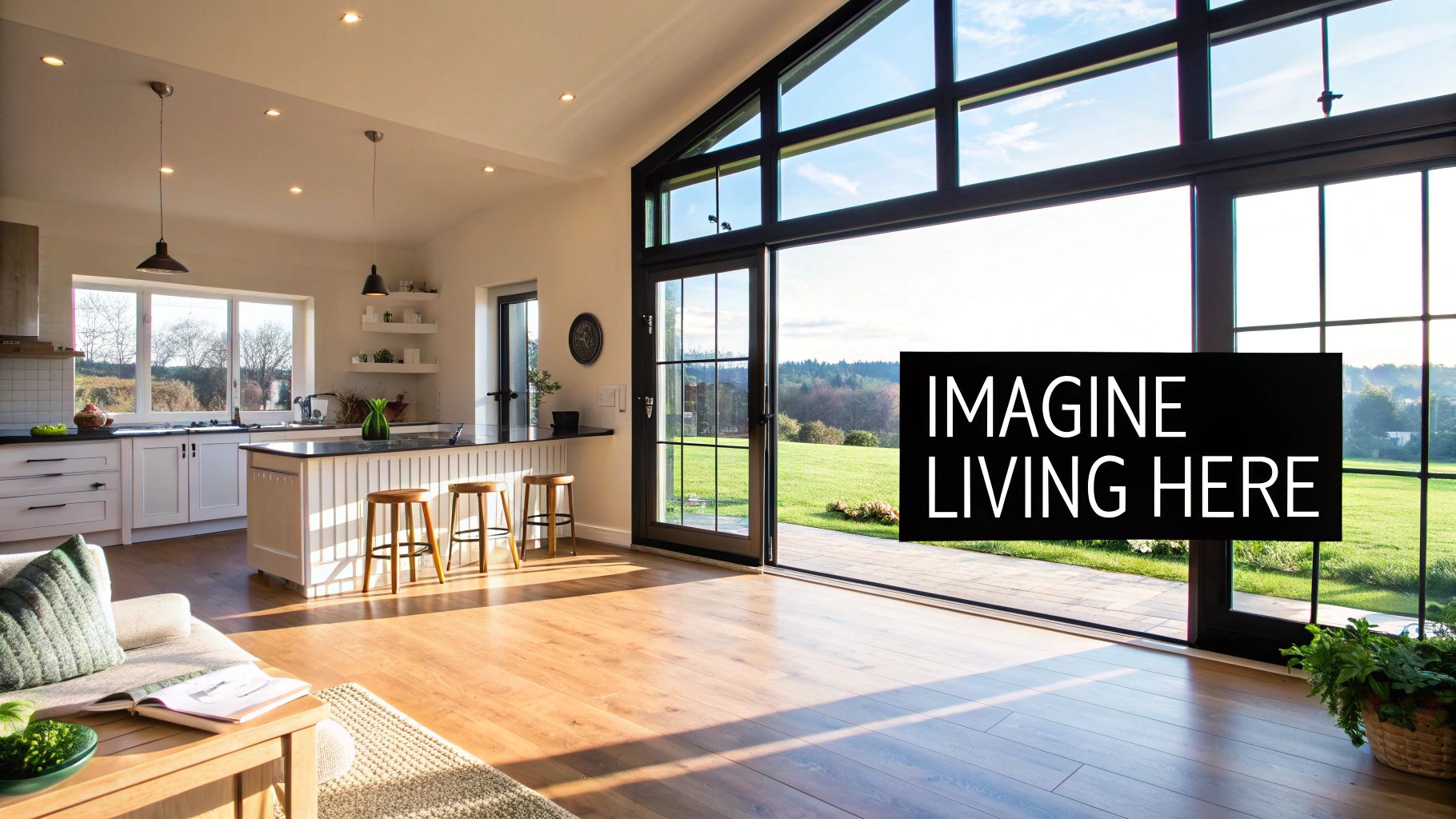
Don't get me wrong, professional photos are absolutely critical. They capture beautiful moments in time—a perfectly lit kitchen, a cozy bedroom corner. But a video tour strings those moments together into a story. It guides a viewer through the home, room by room, creating an immersive experience that photos alone can’t replicate. That's where the real marketing magic happens.
Think about it from a buyer's perspective. A video can show exactly how the morning sun floods the living room or reveal the seamless flow from the kitchen to the backyard patio. These are the small, crucial details that help people truly invest in a space. They stop seeing a listing and start picturing their life unfolding in a new home.
Building an Emotional Bridge with Buyers
That emotional connection isn't just a warm, fuzzy feeling; it drives real-world results. When buyers can genuinely visualize themselves living in a home, they're far more likely to book a showing or make an offer. This process naturally brings in more qualified leads, since viewers have already taken a "virtual walk-through" and decided the property is a serious contender.
A well-crafted video tour gives buyers a real sense of a property's layout, atmosphere, and unique personality. It acts as a powerful filter, weeding out casual browsers and attracting motivated buyers who are ready to act. Ultimately, this saves everyone time and helps close deals faster.
The numbers don't lie. Listings that include a video tour get a staggering 87% more views on average than those with photos alone. When the market went wild in 2020, a full 63% of homebuyers actually made offers on homes they had only seen through a virtual tour. And when you use a platform like AgentPulse to create and distribute these tours, the results are even more dramatic—some agents report seeing inquiries jump by as much as 403%. You can dig deeper into these real estate photography statistics to see just how much of an impact visuals have on sales.
To put this in perspective, here's how a video tour can directly boost the metrics that matter most.
The Impact of Video Tours on Key Listing Metrics
| Metric | Photo-Only Listing | Video Tour Listing | Impact |
|---|---|---|---|
| Online Views | Standard traffic | 87% more views | Significantly higher visibility and reach |
| Lead Quality | Mixed (browsers & serious buyers) | Higher concentration of qualified buyers | Fewer wasted showings, more serious inquiries |
| Time on Listing | Shorter engagement time | Longer, more engaged viewing sessions | Deeper connection with the property details |
| Offer Likelihood | Lower initial commitment | 63% of buyers made offers sight-unseen | Increased buyer confidence and faster decisions |
As you can see, incorporating video isn't just about making your listing look good; it's a strategic move that fundamentally improves its performance across the board.
Gaining a Competitive Edge
In today's crowded market, anything you can do to stand out is a win. Adding video tours to your listings gives you a clear advantage. It immediately signals to both buyers and sellers that you're a forward-thinking agent who invests in top-tier marketing to get the best results.
This helps build your brand, positioning you as a professional, tech-savvy expert who is committed to delivering a superior experience for every client.
Getting Your Photos Ready for a Killer Video Tour
A great real estate video tour doesn't magically happen in the editing phase. It all starts with the photos you take. Think of your photos as the raw ingredients; if you start with high-quality, well-planned shots, a tool like AgentPulse can cook up something truly cinematic. But if you feed it blurry, poorly lit images? Well, you get what you put in.
Your role here is more like a director of photography than just a photographer. You’re not just taking pictures; you're capturing the soul of the home in a series of still frames. These frames need to be woven together into a story that makes a buyer feel like they’re actually walking through the space. That means nailing the composition, getting the lighting just right, and planning a sequence that flows naturally.
It's Time to Think Like a Videographer
First things first: always, always shoot in landscape (horizontal) format. This is non-negotiable. Your final video will be viewed on a TV or computer screen, and landscape orientation gives the AI the visual real estate it needs to create those smooth pans and zooms. Vertical photos just don't work for creating professional video tours for real estate—they lead to awkward cropping and a cramped, amateur feel.
Next up is lighting. You want the video to feel like one continuous journey, not a series of disconnected images. If the lighting changes drastically from one photo to the next—going from bright and airy to dark and moody—it’s jarring for the viewer. Getting the lighting right is just as important for video as it is for your static photo listings. You can dig deeper into using light to make listings stand out and use those same ideas here.
My pro tip? Before you even take the first picture, turn on every single light, open all the blinds, and aim to shoot when the natural light is at its peak. This creates a consistent, harmonious set of photos that helps the AI build much smoother and more believable transitions from one room to the next.
Map Out Your Visual Story with a Shot List
Walking into a property without a plan is a recipe for disaster. You get back to your office, start uploading, and then realize you completely forgot to get a good shot of the master bathroom. A shot list is your best friend here. For a really detailed breakdown, we’ve put together a complete guide on essential real estate photography tips.
But if you need a quick-and-dirty checklist, here’s a solid foundation you can use for almost any property:
- Front Exterior: Grab at least two. One straight-on, and another from an angle to give it some dimension.
- Entryway: Capture that "welcome home" feeling right as you walk in.
- Living Room: You'll want a wide shot to show the whole space, then maybe a couple of closer shots on features like a cozy fireplace or custom built-ins.
- Kitchen: This room sells homes, so don't skimp. Get multiple angles—a wide view, a shot of the appliances, and a detail shot of the countertops or that beautiful island.
- Dining Area: Show how it connects to the kitchen or living room.
- Master Bedroom: A wide shot is a must. If there’s a great view out the window, be sure to capture that, too.
- Master Bathroom: Get at least two angles in here, highlighting things like a double vanity or a soaking tub.
- Other Rooms: One or two good photos of each extra bedroom, bathroom, or home office will do the trick.
- Outdoor Space: Don't forget the backyard, patio, or deck. Show off the landscaping and any nice views.
One last thing, and this is important: organize your photos before you upload them. Put them in the order someone would actually walk through the house. Start at the front door, move through the living areas, into the kitchen, then the bedrooms, and finish out back. This simple step gives the AI a clear path to follow, and the result is a video tour that feels completely natural and tells a coherent story.
Creating Your First Property Tour with AI
Making the jump from beautiful photos to a polished video tour sounds complicated, but modern AI tools have made it incredibly simple. Platforms like AgentPulse are built to handle the technical side, stitching your best shots into a professional-looking video in minutes. It takes the guesswork and the expensive editing software right out of the equation.
The first thing you’ll do is upload your curated photo collection. You can drag and drop the files or just paste in a link from a cloud drive. The real key here is to have your photos already sorted in the order you want them to appear, just like a real-life walkthrough. This gives the AI a logical path to follow, ensuring the final video flows naturally from room to room.
Setting the Stage for Your Video
With your photos loaded, it's time to add a quick intro. This is a small detail that makes a huge difference in branding your video tours for real estate. It’s the perfect spot to pop in the address, your name, and your brokerage. Something as simple as, "Welcome to 123 Maple Lane | Presented by Jane Doe, City Realty" adds a professional touch right from the start.
Next up is the music, which is all about setting the mood. Don't underestimate the power of a good soundtrack; it can completely change how a buyer feels about the space. AgentPulse has a built-in library of royalty-free options, so you never have to worry about copyright strikes.
- Modern downtown loft? Go for an upbeat electronic track that feels energetic.
- Historic colonial home? A classic, elegant piece can really highlight its character.
- Family-friendly suburban house? A light, happy acoustic song creates that warm, inviting vibe.
This simple graphic breaks down the key elements for capturing photos that are perfect for video conversion.
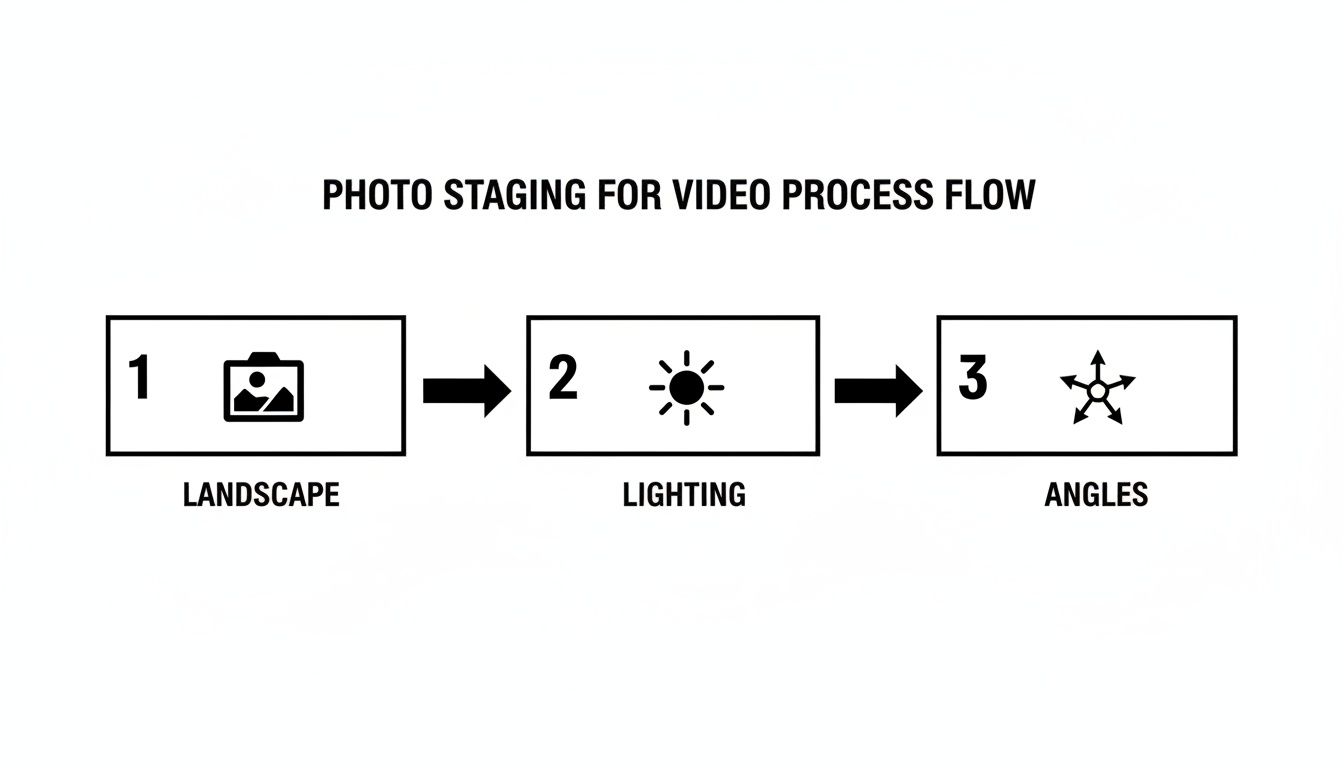
Nailing these three things—orientation, lighting, and varied angles—gives the AI the best raw material to work with, leading to a much more dynamic final product.
Letting the AI Work Its Magic
This is where you get to sit back and relax. Once you’ve picked your music and added an intro, the AI engine takes over. It scans each photo, recognizing architectural details like walls, windows, and other focal points. From there, it creates smooth, cinematic camera movements, like a slow pan across the living room or a gentle zoom toward the kitchen island.
The AI basically becomes your personal camera crew, adding professional-looking motion that guides the viewer's eye through the home. You don't need any editing experience because the system knows how to build visual interest and tell a compelling story.
The whole rendering process usually takes just a couple of minutes. You’ll get a notification when your video is ready to preview and download. It's really that easy.
If you want to see what else is out there, our guide on the best AI video generators is a great place to start. While general-purpose tools are available, those built specifically for real estate usually give you a better result. For a broader look at all the different ways to create immersive listings, from simple videos to full 3D models, check out this guide to virtual tour software for real estate.
Customizing Your Video to Reflect Your Brand
Alright, you've got your AI-generated draft. Think of this as a solid first cut, not the final product. Now comes the fun part, where your expertise as an agent really shines. This is where you transform a good video into a powerful marketing tool that captures the property's unique vibe and, just as importantly, your own brand.The AI does a great job of creating a logical sequence, but you know what makes the property truly special. The single most effective tweak you can make right away is reordering the scenes to highlight the home's "wow" factor.
Let's say the property has a show-stopping kitchen that opens onto a stunning backyard patio. Don't wait until halfway through the video to show it. Grab that scene and move it right to the front, immediately after your intro. You want to hook viewers within the first few seconds, and leading with your strongest asset is the best way to do it.
Shaping Viewer Emotion with Sound and Story
Music isn't just background filler—it's the heartbeat of your video. The right soundtrack sets the entire mood, making a home feel energetic, calm, luxurious, or cozy.
Think about the ideal buyer. What would they connect with?
- A sleek, modern condo downtown might need an upbeat electronic track.
- A classic family home in the suburbs could call for a warm, inviting acoustic tune.
- A luxury estate might be best served by a sophisticated, cinematic score.
Don't just pick something you personally like; match the music's tempo to the video's pacing. A faster rhythm builds excitement, while a slower melody encourages viewers to really soak in the details of each room.
One of the best things about using a tool like AgentPulse is the ability to re-render your video instantly. This gives you the freedom to experiment. Don't love the first song you picked? Try another. Want to see how a different scene order feels? Go for it. You can keep tweaking until it’s perfect without any extra cost or hassle.
Fine-Tuning the Flow for Maximum Impact
Your last step is to act as the final editor, making sure every single second of the video serves a purpose. Sometimes a specific photo, while good on its own, just doesn't fit the story you're telling. Maybe a quick shot of a small half-bath interrupts the beautiful flow from the gourmet kitchen to the spacious family room.
It’s easy to remove or replace any scenes that feel out of place. This control lets you polish the video's rhythm and keep the focus sharp. The goal is a seamless visual journey that keeps people watching, gets them excited, and makes them pick up the phone to schedule a showing. That final polish is what makes all the difference.
Getting Your Video Tour in Front of the Right People

Okay, you've created a fantastic video tour. Now for the most important part: getting people to actually watch it. A great video can't work its magic if it’s sitting on your hard drive. This is where a smart, multi-channel promotion strategy comes into play.
The key is to meet potential buyers where they already spend their time. That means putting your video everywhere—from social media to the MLS—and tweaking it for each platform.
One Video, Multiple Formats
Think about it: the way someone scrolls through Instagram Reels is completely different from how they browse Zillow. A one-size-fits-all approach just won't cut it. You need to tailor your video to fit the environment.
- Instagram Reels & TikTok: Vertical video is non-negotiable here. Re-export your tour in a portrait format and keep it short and punchy, ideally under 30 seconds. If you really want to boost visibility, jump on a trending audio track.
- MLS & Zillow: This is where serious buyers are doing their homework. Stick with the traditional landscape format and use your full 60-90 second video. It provides the comprehensive look they're after.
- Your Website & YouTube: Landscape is the gold standard here, too. Embedding the video on your own listing page is a must, and uploading it to YouTube helps your property get discovered on the world’s second-largest search engine.
Write Captions That Get Clicks
Your video grabs their attention, but the caption is what turns a viewer into a lead. Never, ever post a video without a clear call-to-action (CTA). Tell people exactly what you want them to do next.
A simple Instagram caption could be something like: "Your first look inside 123 Maple Street! This stunning 3-bed, 2-bath is officially on the market. ✨ DM me to schedule a private tour or hit the link in my bio for all the details!"
It’s simple, direct, and gives an interested buyer an easy next step. For more tips on writing copy that connects, check out our guide on how to increase social media engagement.
Don't Forget Email and Paid Ads
Your existing network is one of your most powerful assets. Send the video tour to your email list to reach warm leads who already know, like, and trust you. A subject line like "Video Premiere: Take a Tour of 123 Maple Street" is a great way to pique their interest.
Here's a powerful statistic: an incredible 73% of homeowners say they are more likely to list with an agent who uses video. But only about 10% of agents are actually doing it. That gap is a massive opportunity for you to stand out. You can discover more insights about real estate videography and how it builds trust.
Finally, if you have a little budget to spare, put it to work. Running your video as a targeted ad on Facebook or Instagram is incredibly effective. You can show your beautiful video tours for real estate directly to people based on their location, online behavior (like visiting Zillow), and even income. It’s a direct line to the most qualified buyers in your market.
Got Questions About Video Tours? We've Got Answers.
Jumping into creating video tours from your photos is pretty straightforward, but a few questions always pop up. Let's walk through some of the most common things agents and photographers ask when they get started.
How Many Photos Should I Use for a Solid Video Tour?
For a typical home, you’ll want to aim for 15 to 25 high-quality photos. This is the sweet spot. It gives you enough content to show off all the key areas without dragging the video on for too long or, even worse, making it feel rushed.
Think quality, not just quantity. You need crisp, well-lit shots of the exterior, entryway, living room, kitchen, all bedrooms, and bathrooms. And don't forget to capture those special features—the things that make a house a home, like a dedicated home office, a beautiful fireplace, or that amazing backyard patio. The better your photos, the more impressive your final video will be.
Can I Use Vertical Photos from My Phone?
Technically, yes, but you really shouldn't. My advice? Always stick with landscape (horizontal) photos. This orientation is how we naturally see the world, and it’s the standard format for video platforms like YouTube and your MLS.
When you use vertical photos, you almost always end up with those clunky black bars on the sides of your video. The alternative is letting the system crop your images, which can cut out important details. For that polished, professional look that really sells a property, shooting horizontally is the only way to go.
Pro Tip: Keep your final video tour between 60 and 90 seconds. That’s the perfect length to showcase a home’s best features and create an emotional hook, while still being short enough to keep someone's attention as they're scrolling through social media.
Do I Need to Worry About Music Copyright?
This is a big one, and thankfully, the answer is a simple no—as long as you’re using a dedicated platform. When you build your tour with a tool like AgentPulse, it comes with a full library of royalty-free music.
These tracks are commercially licensed, so you can share your video anywhere without a second thought. Post it on social media, upload it to Zillow, embed it on your website... you're covered. No copyright strikes, no legal issues. It’s one less headache you have to deal with.
Ready to turn your property photos into stunning video tours that grab attention? AgentPulse uses AI to create scroll-stopping videos that help you attract more buyers and win more listings. Start your free trial today.