
So, what exactly is a real estate photo app? Think of it less like a simple filter and more like a full-blown marketing studio that fits right in your pocket. It’s a tool designed specifically for agents, letting you capture and perfect property photos directly on your smartphone to create professional-quality images that grab a buyer's attention and sell homes faster.
Why a Photo App Is Your Secret Marketing Weapon
In a market this crowded, your listing photos are the very first handshake with a potential buyer. A property with dark, average-looking photos is like a great shop with a dirty window—people will just walk right past, no matter how fantastic the stuff inside is. A good real estate photo app is what cleans that window, making your listing instantly feel more inviting.

This goes way beyond just making pictures look prettier. It’s about solving the real-world headaches that cost you both time and money. While professional photography is amazing, the cost and hassle of scheduling a photographer for every single listing can eat up your marketing budget in a hurry.
A dedicated app is the perfect middle ground. It gives you the control to create stunning visuals whenever you need them, turning a major expense into a repeatable asset for every property you list.
And the numbers don't lie. Homes that are marketed with high-quality, professional-looking photos consistently sell a staggering 30% faster than listings with amateur snapshots.
Common Listing Photo Problems and App Solutions
Let's be honest, getting the perfect shot is tough. Bad lighting, awkward angles, and tight spaces are daily frustrations for agents. Here’s a quick look at those common problems and how the right app tackles them head-on.
| Common Photo Problem | How a Real Estate Photo App Solves It |
|---|---|
| Dull or Dark Rooms | Instantly brightens spaces and balances shadows to make rooms feel warm and welcoming, not artificially lit. |
| Skewed or Distorted Angles | Automatically corrects perspective to ensure walls are straight and rooms look spacious and true-to-life. |
| High Photography Costs | Offers a budget-friendly alternative to hiring a pro for every listing, freeing up your marketing dollars. |
| Slow Turnaround Times | Lets you shoot, edit, and upload incredible photos in minutes, getting your listing live and in front of buyers fast. |
By solving these everyday issues, a photo app becomes more than just a convenient tool—it's a fundamental part of modern real estate agent marketing strategies. It helps you stay competitive, save money, and, most importantly, sell homes quicker.
Essential Features Every Agent Needs
So, what’s the big difference between a powerhouse real estate photo app and the basic photo editor already on your phone? It all comes down to features built specifically for the quirks and challenges of marketing a property. These tools aren't about slapping on a simple filter; they're about creating professional, eye-catching images that get serious buyers to stop scrolling.
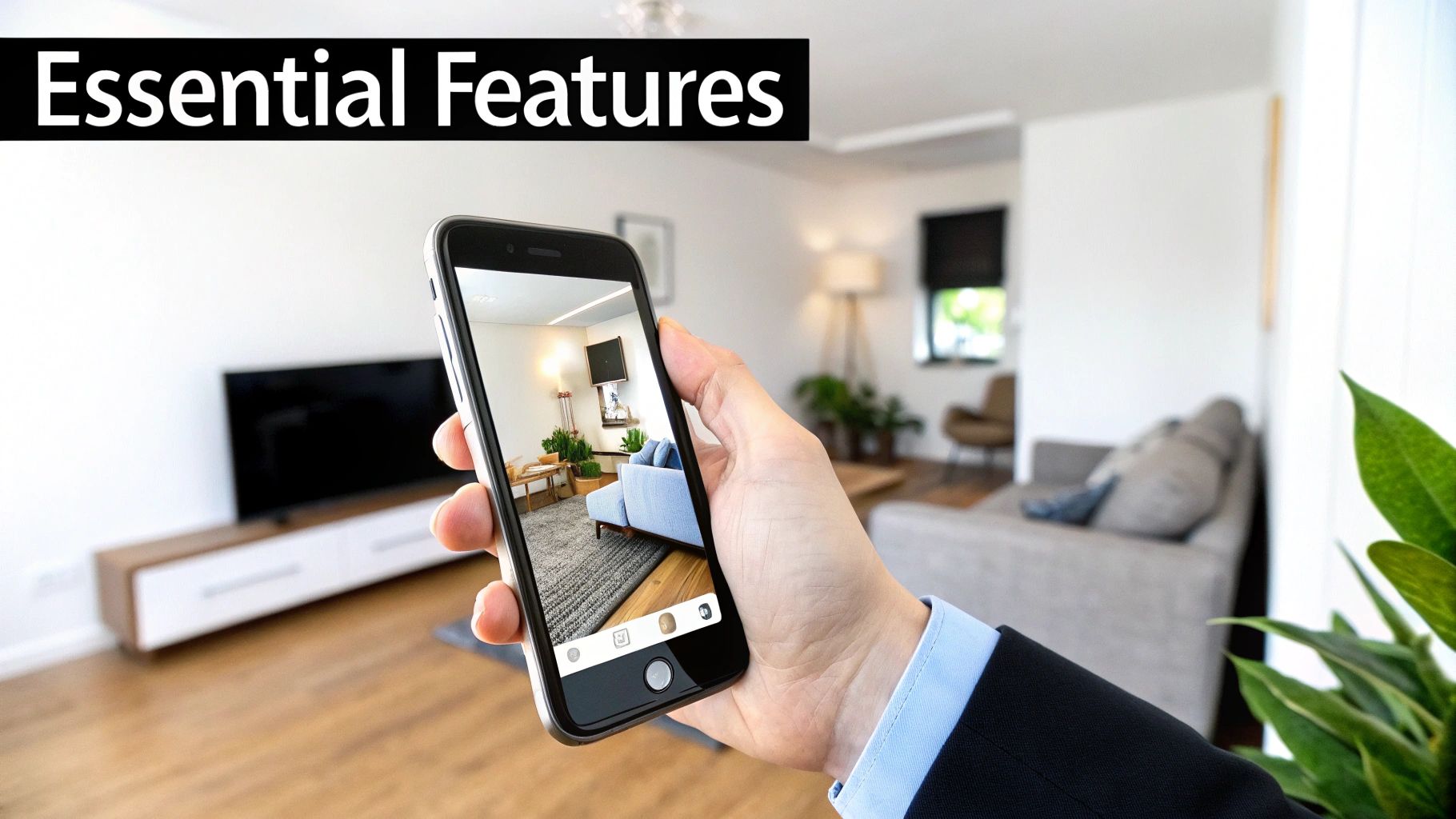
Think of it like having a digital toolkit in your pocket. Each tool is designed to fix a common problem—a dark room, a cloudy day, weird angles—and turn a so-so photo into a killer first impression. Knowing what to look for means you’ll pick an app that actually makes your job easier and your listings more effective.
AI-Powered Photo Enhancement
The absolute game-changer here is AI-powered enhancement. It’s like having a pro photo editor on call, 24/7. This tech scans your photo and instantly adjusts the brightness, contrast, and color to make any room look bright, airy, and inviting.
Instead of fiddling with a dozen confusing sliders, you get a vibrant, polished image with just one tap. The AI has learned from thousands of top-performing listing photos, so it knows exactly what adjustments to make a property shine without looking fake or overly processed. This is really the heart and soul of any great real estate photo app.
HDR Blending for Perfect Exposure
Ever taken a picture of a room with a big, bright window? You either get a completely washed-out window or a room that's plunged into shadows. High Dynamic Range (HDR) blending is the fix. It works by taking several pictures at different exposure levels at the same time and then merging them into one perfectly lit shot.
With HDR, buyers can see both the gorgeous view outside and all the beautiful details inside the home. It’s a trick professional photographers have relied on for years, but now it’s available right on your smartphone.
A great HDR feature ensures no detail is lost in shadows or highlights, presenting a true-to-life view of the property that builds buyer trust from the very first click.
Essential Geometry and Sky Corrections
Beyond lighting and color, the actual structure in your photos is incredibly important. Two features are must-haves for getting this right:
- Perspective Correction: This tool automatically straightens vertical lines, preventing that weird effect where walls look like they’re tilting inwards. It fixes the natural distortion that comes with a phone's wide-angle lens, making rooms feel bigger and more true-to-life. A photo with straight, clean lines just looks professional.
- One-Tap Sky Replacement: A gray, gloomy sky can make even the most stunning home look depressing. With sky replacement, you can swap that drab backdrop for a bright blue sky in a single tap. It's a simple change that makes a massive difference to a home’s curb appeal, making the entire listing feel more cheerful and appealing.
These are the non-negotiables. When working together, these features ensure every photo you snap is crisp, well-lit, and professionally composed, giving you a huge leg up in a crowded market.
Advanced Tools for a Competitive Edge
Once you’ve nailed the basics of good lighting and color, it’s time to play with the features that really make a listing pop. These aren't just minor tweaks; they're powerful tools that help you tell a story, letting buyers imagine themselves in the space before they even book a showing. This is how you turn a good listing into one they can't stop thinking about.
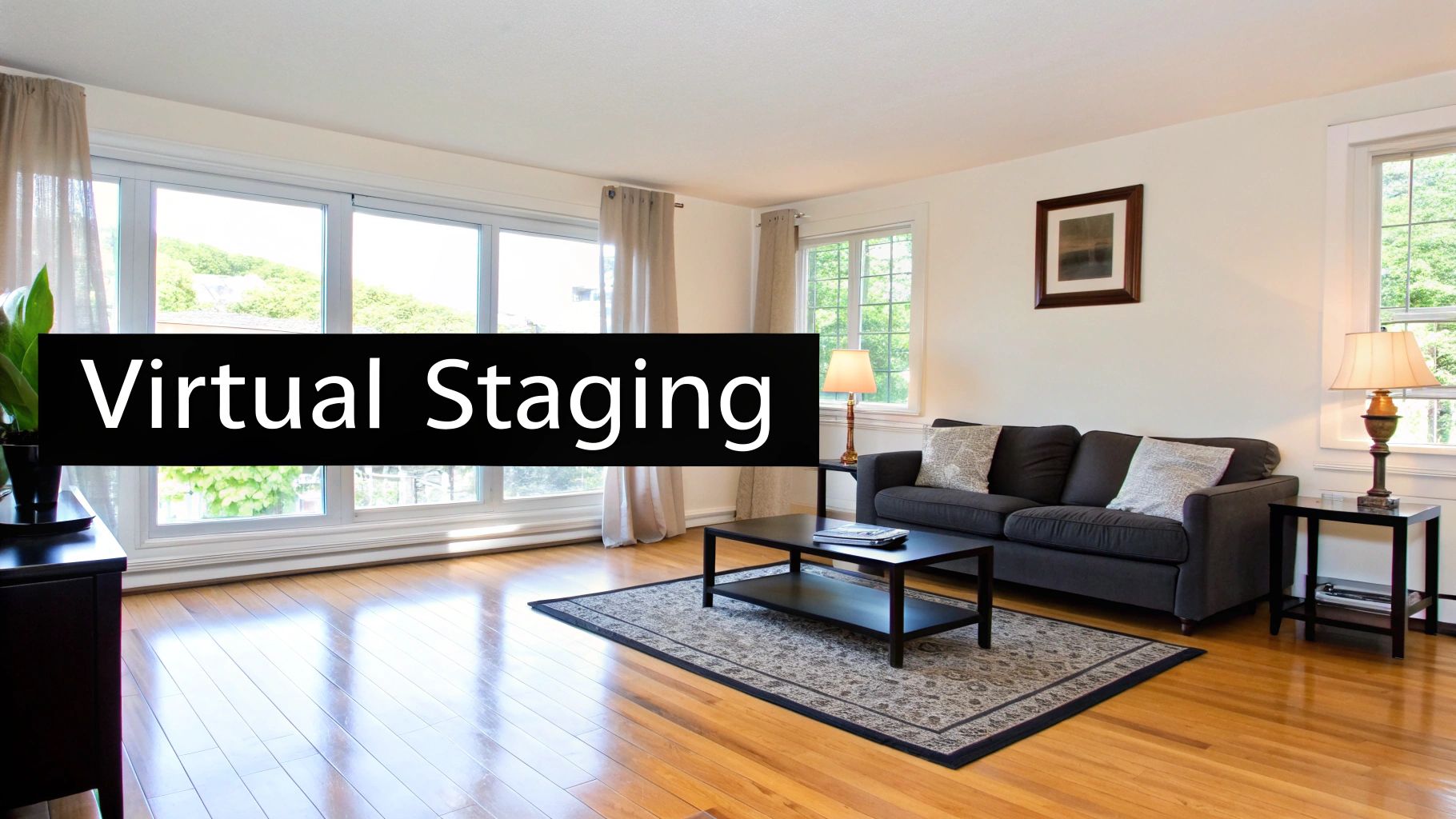
Think of it this way: these tools help you answer the one question every buyer is asking: "Could I live here?" They help bridge the gap between seeing an empty house and envisioning a future home.
Bring Empty Rooms to Life with Virtual Staging
An empty room is a blank canvas, but for most buyers, it just looks cold and small. They struggle to figure out if their king-sized bed will fit or where the sofa should go. Virtual staging, a feature in many modern real estate photo apps, fixes this by digitally adding furniture and decor right into your photos.
Suddenly, that vacant space becomes a cozy living room or a perfectly staged home office. It’s a simple trick that completely changes how a property feels online, making it far more appealing and often justifying a better price.
Virtual staging isn't about fooling anyone. It's about showing potential. You’re not just selling four walls; you’re selling a lifestyle, and staging helps buyers see it for themselves.
Showcase the Big Picture with Drone Photography
Sometimes, the best features of a property aren't inside the house at all. To really show off a home's location and scale, you need to get up in the air. Many photo apps now offer tools to enhance drone photography, giving you those stunning aerial shots that capture the entire property and its surroundings.
This perspective is perfect for highlighting a huge backyard, a beautiful pool, or how close the home is to a park or the waterfront. The results speak for themselves: listings with aerial images have been shown to sell up to 68% faster. You're giving buyers the full picture, which can increase online engagement by as much as 83%. For more insights, check out the latest real estate photography trends on homejab.com.
Create Immersive 360-Degree Virtual Tours
The ultimate tool in your kit? The ability to create 360-degree photos for virtual tours. This technology lets buyers "walk through" a home from their computer or phone, peeking into every corner at their own pace. It’s an interactive experience that gives them a genuine feel for the layout and flow in a way static photos never could.
These tours are also a fantastic filter. They attract serious buyers who are already invested enough to explore the entire home online, meaning the people who book in-person showings are much more likely to be legitimate leads. It’s a huge time-saver for everyone involved.
How to Choose the Right App for Your Business
With so many real estate photo apps out there, picking the right one can feel overwhelming. The secret is to cut through the noise and focus on what your business actually needs day-to-day.
A solo agent juggling a few listings a month has completely different needs than a large brokerage team or a property manager with a sprawling portfolio. The best app for you is the one that slots right into your current workflow, not one that makes you reinvent the wheel.
Think about your daily grind. Are you constantly on the move, needing to shoot, edit, and post listings from your phone in a matter of minutes? Or do you have the luxury of time to sit down at a desk and perfect your images? Answering that one question will help you filter out a ton of options right away.
Evaluate the User Experience
The most feature-packed app on the market is totally useless if it’s a pain to use. You want an interface that just makes sense the first time you open it. Can you find essential tools like HDR blending or perspective correction without digging through a dozen menus? A great app practically holds your hand, making professional editing feel as easy as adding a filter on social media.
When you're test-driving an app, ask yourself a few key questions:
- Is it fast? The app needs to process your photos quickly without crashing or lagging, especially when you're standing in a client's living room.
- Is the layout clean? A cluttered screen filled with confusing icons is a recipe for frustration and will only slow you down.
- Can I figure it out quickly? You shouldn't need to watch a 30-minute tutorial just to handle the basics. The best tools are powerful but intuitive.
Check Integration and Sharing Capabilities
Your photos don’t just live inside an app. You need to get them onto the MLS, your website, and social media feeds as quickly and painlessly as possible. A truly great real estate photo app makes this final step a breeze.
Look for direct export options or simple ways to save high-resolution images straight to your phone’s camera roll. The whole point is to cut out extra steps. If you find yourself having to email photos to your own inbox, download them to a computer, and then upload them to Zillow, the app isn't really saving you time. This is a common theme you'll find when looking at the best real estate marketing tools available.
An app that integrates smoothly with your marketing platforms acts as a true business partner. It streamlines your workflow, getting your listings in front of buyers faster and with less hassle.
Understand the Pricing Models
Finally, let's talk about money. You need a pricing structure that makes sense for your business volume and budget. Don’t get distracted by a low monthly price tag; you have to look at the total value. Some apps seem cheap upfront but then hit you with extra charges for high-quality exports or lock essential features behind a paywall.
Most apps fall into one of a few common pricing structures. Here's a breakdown to help you figure out what might work best for you.
Comparing App Pricing Models
A clear breakdown of the most common pricing structures to help you find the most cost-effective option for your real estate business.
| Pricing Model | Best Suited For | Key Advantages | Potential Downsides |
|---|---|---|---|
| Monthly Subscription | Busy agents and teams with consistent listing volume | Predictable monthly costs, access to all premium features and support | Can be expensive during slower months when not fully utilized |
| Pay-Per-Photo/Credits | Agents with fluctuating or lower listing volumes | Highly cost-effective; you only pay for what you actually use | Per-photo costs can add up quickly during a busy season |
| Freemium Model | New agents or those wanting to test an app before buying | Free to use for basic features; a great way to try before you buy | Often includes watermarks, resolution limits, or annoying ads |
By carefully weighing these factors—usability, integration, and cost—you can confidently pick a real estate photo app that does more than just make your listings look good. You can find one that gives you a genuine return on your investment.
A Step-by-Step Guide to Perfect Listing Photos
Knowing what a great real estate photo app can do is one thing. Actually putting it to work to gain an edge is another. This simple, repeatable workflow will help you turn any property into an irresistible online listing, and it all starts before you even pull out your phone.
First things first, you have to prep the space. This doesn't mean you need to hire a professional stager. A quick decluttering session goes a long way. Just tuck away personal photos, clear off the countertops, and open every blind to let the light in. Doing this creates a clean, bright canvas that helps buyers imagine themselves living there.
Capturing the Best Shots
Once the room is tidy, it's time to start shooting. Your smartphone is a powerhouse, and when you combine it with an app's built-in guides, you can get some seriously professional-looking shots.
A classic trick is to stand in the corner of a room to make it feel bigger. And always, always shoot from about chest height—this prevents those weird, distorted angles that make a room look off.
Most apps have on-screen grids or a level tool. Use them! These simple guides are your best friend for keeping vertical lines straight, which is a subtle detail that screams "professional." If you want to dive deeper, check out these essential real estate photography tips to really hone your craft.
Applying One-Click Enhancements
This is where the real magic kicks in. After you’ve taken your photos, the editing process inside a good app should feel almost effortless. Forget spending hours fiddling with confusing sliders; now you can apply powerful AI enhancements with a single tap.
Here’s what that looks like in practice:
- Upload Your Photos: Pick out your best shots and import them right into the app.
- Apply AI Enhancement: Tap the one-click feature to instantly fix the lighting, balance the colors, and sharpen the details across all your photos at once.
- Correct Perspectives: If a wall looks a little tilted, the perspective correction tool will straighten it out perfectly.
- Replace the Sky (If Needed): Got a gloomy, overcast day for your exterior shots? No problem. Swap it out for a bright, blue sky to instantly boost curb appeal.
The true power of a real estate photo app is how it automates the tedious stuff. Edits that used to take a pro hours to complete can now be done in minutes, right from your phone.
Picture this common scenario: you have a "before" shot of a living room taken on a cloudy day. It looks dark, the colors are dull, and the window shows nothing but a washed-out white sky. It’s just not doing the property justice.
With a few taps in the app, the "after" version is night and day. The AI enhancement brightens the entire room, bringing out details that were lost in the shadows. The HDR function balances the light, so you can see the beautiful yard outside just as clearly as the room itself. Finally, a quick sky replacement turns that dreary gray into a welcoming blue. The result? A vibrant, stunning image that’s ready to grab a buyer's attention.
Still Have Questions? Let's Clear Things Up
Even after seeing all the benefits, it's smart to have a few lingering questions before you change up your workflow. A real estate photo app can feel like a big shift, so let's tackle some of the most common concerns head-on.
The whole process is actually pretty straightforward. It boils down to a few simple steps.
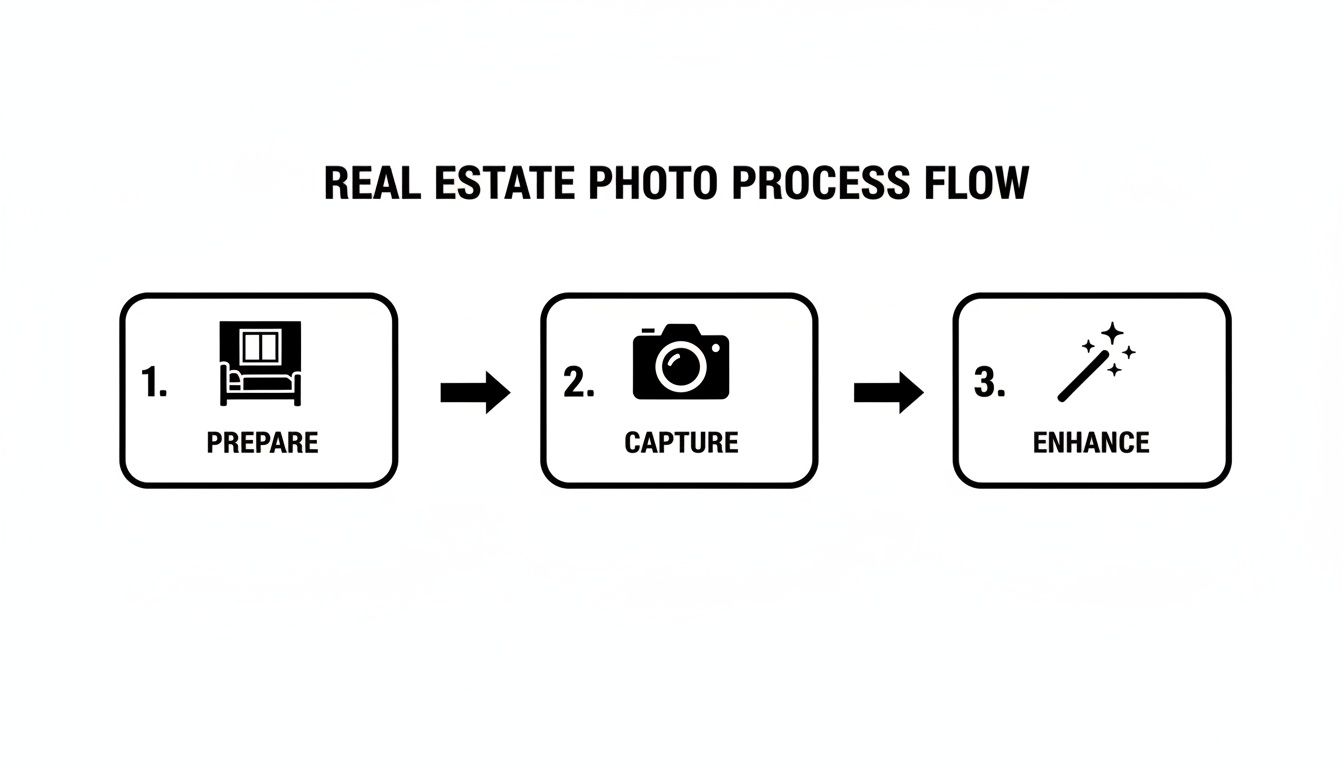
As you can see, the app’s job is to take a time-consuming, multi-step chore and make it fast and efficient.
Can an App Really Replace a Professional Photographer?
This is the big one, and the honest answer is: it depends. For the vast majority of your listings, a good photo app and a modern smartphone can absolutely deliver professional-looking images that get buyers in the door. The app essentially automates the technical skills a photographer uses, saving you a ton of time and money.
That said, for a sprawling luxury estate or a home with quirky, difficult-to-shoot architecture, nothing beats the eye of a seasoned professional. Many top agents I know use a hybrid approach: they use an app for their bread-and-butter listings and call in a pro for the high-end, multi-million dollar properties.
How Much Time Will I Actually Save?
The time savings are immediate and significant. If you’ve ever tried to edit photos yourself in traditional software, you know it can take hours to get one listing right. It’s a steep learning curve.
A dedicated real estate photo app changes the game. It uses AI and smart presets to fix up an entire gallery of photos in just a few minutes. Things that used to be a headache, like fixing distorted vertical lines or swapping a gray sky for a blue one, become a one-tap fix. You can easily get back several hours per listing—time you can spend on what really matters, like serving clients and closing deals.
The goal isn't just prettier photos. It's about making your entire marketing process faster and more profitable by removing the technical roadblocks.
Are These Photos Okay for the MLS?
Yes, 100%. Photos edited with a reputable real estate photo app are fully compliant with MLS rules. These tools are designed to make the property look its best by improving lighting, color, and sharpness, but they don't misrepresent the facts.
The edits are all about enhancing quality, not changing reality. You'll get a standard JPEG or PNG file that you can upload to the MLS, Zillow, social media, or anywhere else without a second thought.
Do I Need to Buy an Expensive Camera?
Nope! That's the beauty of it. These apps are made to work with the powerful camera you already have in your pocket: your smartphone. Modern phone cameras are incredible, and when you pair that hardware with an app's smart software, the results are crisp, high-resolution images.
The app's technology is built to overcome the limitations of a small phone lens. It cleverly corrects distortion and pulls out the details, giving you photos that look like they came from a much bigger, more expensive camera.
Ready to turn your listing photos into captivating videos that stop the scroll? AgentPulse uses AI to create cinematic video tours from your images in minutes, helping you attract more buyers and win more listings. Start creating for free at AgentPulse.